
Monitor control health and run control reviews
Know which controls are healthy, which need attention and which are overdue a review — with a scheduled cadence and an approval trail behind every verdict.
Step-by-step
- 1
Open Control health
From the sidebar choose Control health. The KPI strip shows how many controls are healthy, need attention, are failing or have never been assessed, plus an overall health score and the count of overdue reviews.
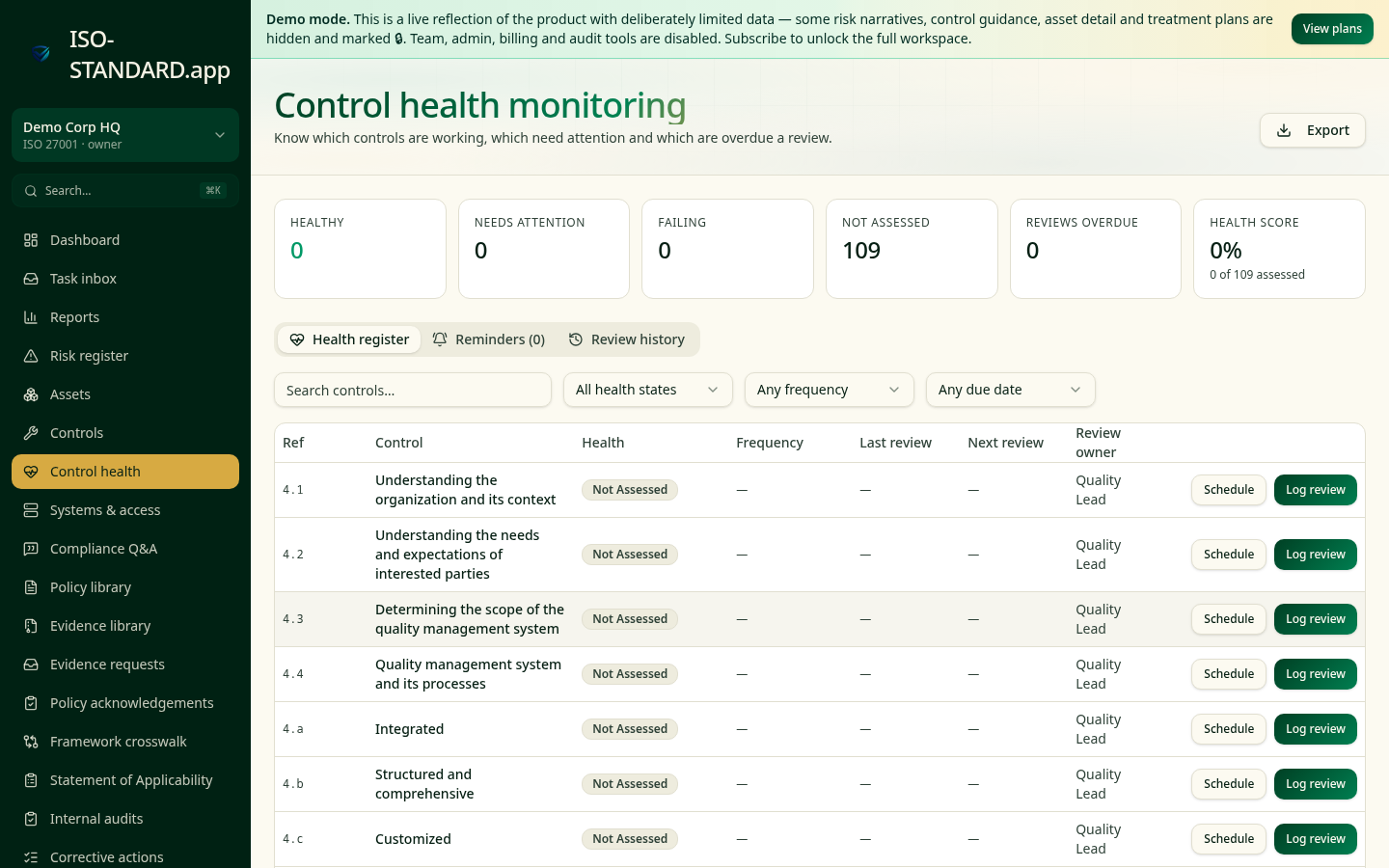
Health states, review cadence and overdue reminders in one register. - 2
Schedule a review cadence
Click Schedule on any control and pick a frequency and next review date. Critical controls (access management, backups, logging) work well monthly or quarterly; documentation-style controls annually.
- 3
Log a review
Click Log review, choose the health verdict, add what you tested and what you found, and attach or reference the evidence you looked at. Admins can approve the review to lock it into the history.
- 4
Work the reminders tab
The Reminders tab lists everything overdue or due soon so a weekly 15-minute pass keeps the whole register current instead of a pre-audit scramble.
- 5
Read the review history
The Review history tab is the timeline of every verdict logged, by whom and when — this is the artefact that proves ongoing monitoring rather than a point-in-time snapshot.
- 6
Export for the audit file
Export gives you the full register as CSV with health, cadence, last and next review dates and owners.
- "How do you monitor whether controls are operating effectively between audits?"
- "What is your review cadence for critical controls?"
- "Who signs off that a control is working, and where is that recorded?"
What this workflow produces: A control health register plus dated review records — the closest thing to continuous assurance you can show before a Type 2 report exists.
FAQ
The percentage of applicable controls that have been assessed and are currently Healthy. It rises as you work through the register.
Risk-based: monthly or quarterly for controls that protect your most sensitive data, annually for lower-impact ones. Certification auditors expect a defined, followed cadence.
Owners and admins. Members can log a review; approval is the second pair of eyes auditors like to see.
No. Control health is continuous monitoring; internal audit is a periodic independent check. ISO 27001 expects both.
Ready to run this in your workspace?
Start free — the workspace comes pre-loaded with the frameworks, policies and templates you need to follow this guide today.